Make your recap
Pick the zip files from your Snapchat export. They are uploaded to our server, which reads them and builds your recap.
No export yet? Here’s how to get it
- Ask Snapchat for your data. In the app, open your profile, then Settings, then My Data. Switch on every box (“Export JSON files” too), choose All Time, and submit. Snapchat emails you when it is ready, often in about an hour. Big accounts can take a day or two.
- Download the zip files. The email links to your export. Big accounts arrive in parts, like mydata~1234.zip and mydata~1234-2.zip. Grab all of them; saving straight to your phone is fine.
Where to tap in Snapchat
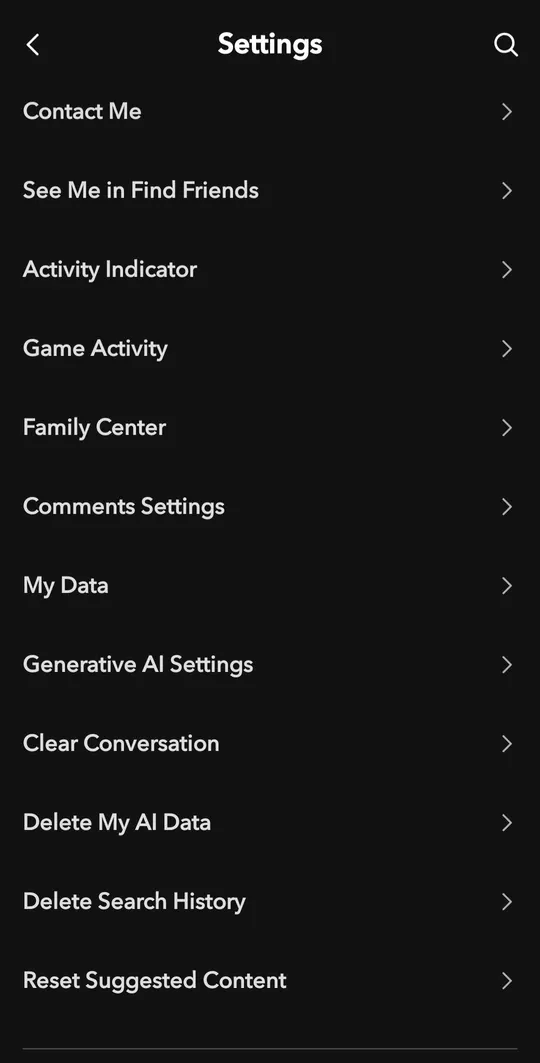
On your profile, tap the gear for Settings, then My Data.
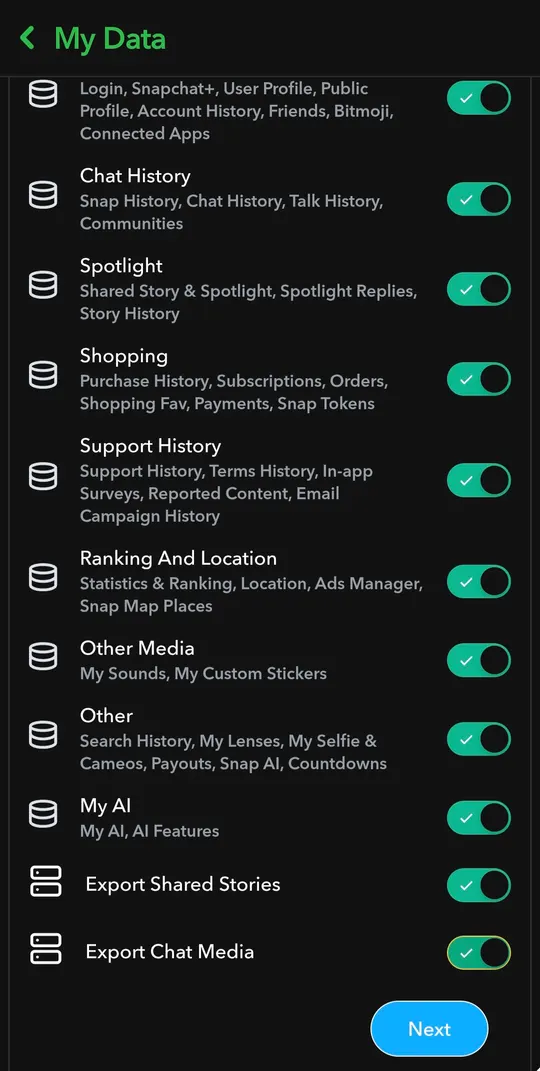
Switch on every box, then tap Next.
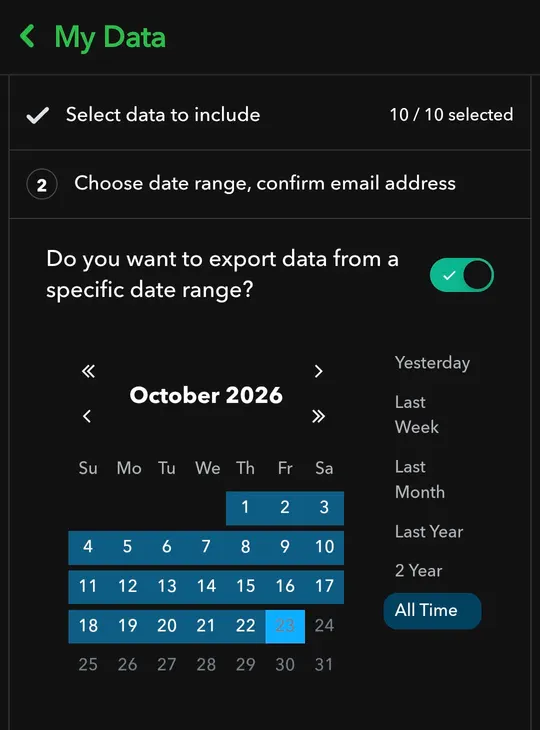
Choose All Time, check your email address and submit.
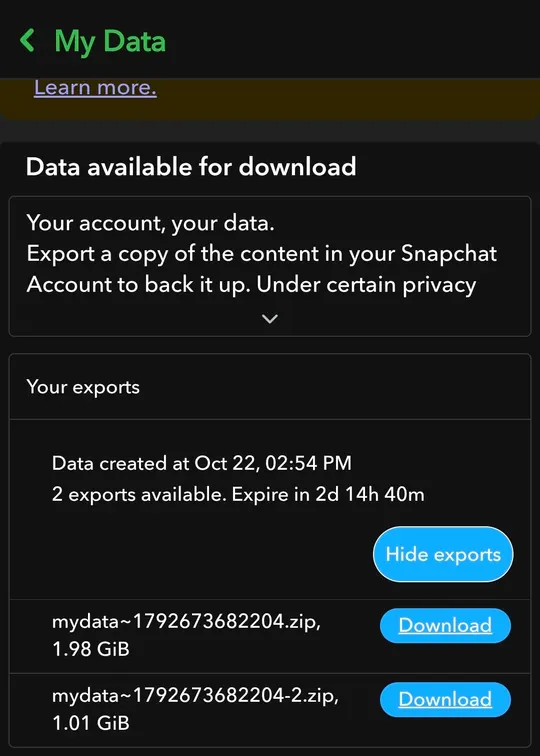
When it is ready, come back to My Data and download every part.