Your Snapchat, replayed.
Drop in the data export Snapchat emails you and get a one-minute video of your chats, snaps, friends and memories.
A made-up recap, drawn live by the same code that makes yours.
Sixty seconds of you.
Every recap is built from your own export, so no two look alike. Here is what one covers.
What your score works out to per day, and every phone you have used Snapchat on.
The person you message most, and the four right behind them.
A 24-hour clock of when you are actually on the app.
The single day you sent the most. You will probably remember why.
Thousands of saved snaps placed on one map, blurred to the nearest town.
Counted from your own messages.
Added, removed, blocked, and the requests still waiting on you.
Three steps. One of them is waiting.
Ask Snapchat for your data
In the app, open your profile, then Settings, then My Data. Switch on every box (“Export JSON files” too), choose All Time, and submit.
Snapchat emails you when it is ready, often in about an hour. Big accounts can take a day or two.
Where to tap in Snapchat
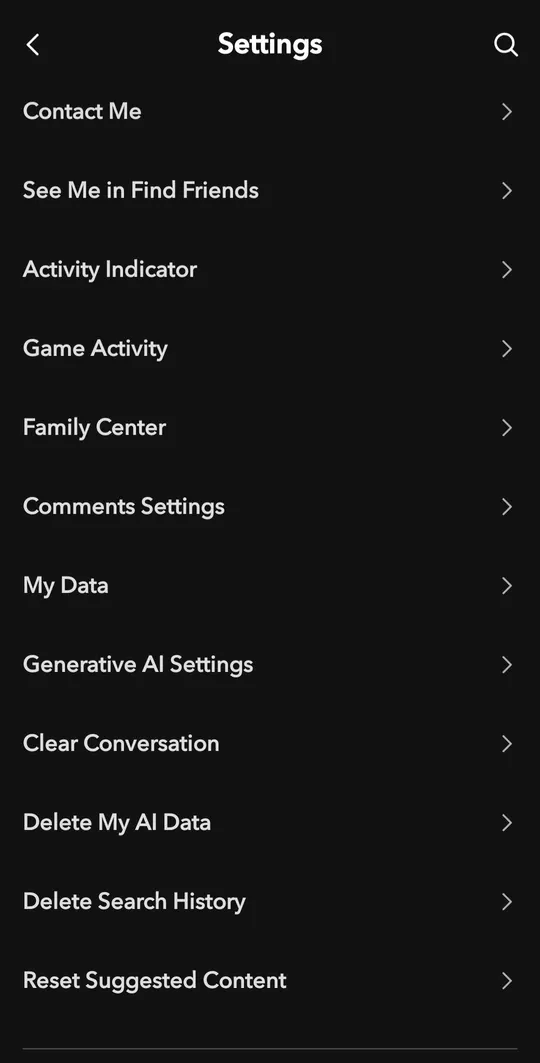
On your profile, tap the gear for Settings, then My Data.
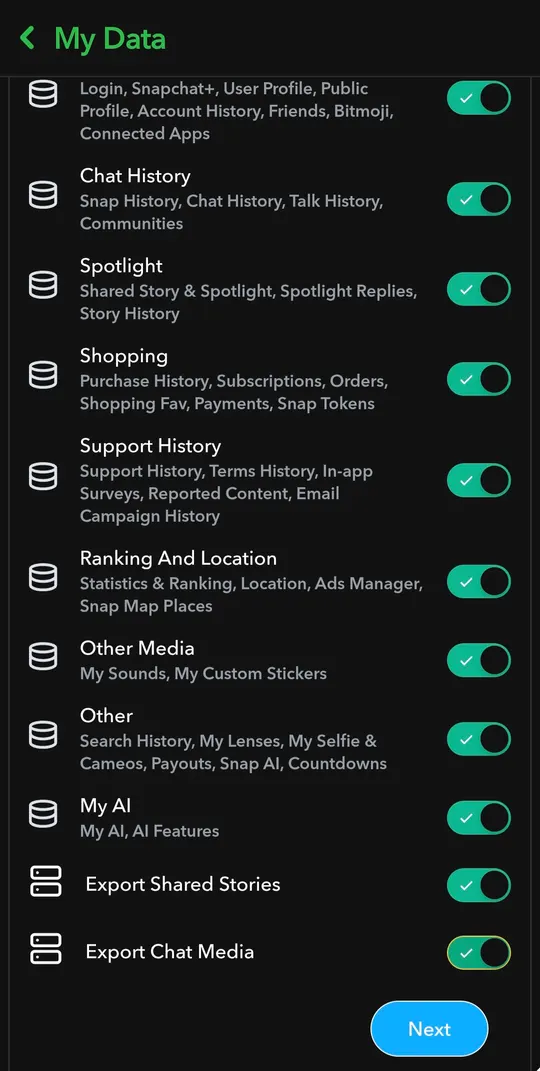
Switch on every box, then tap Next.
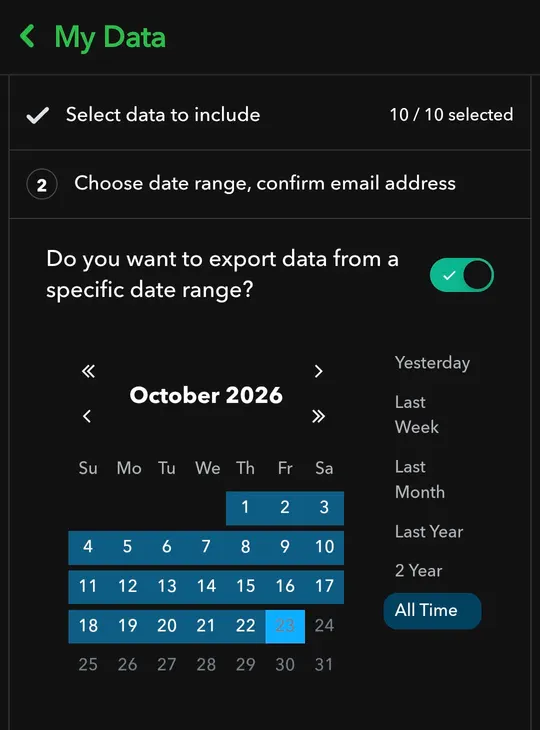
Choose All Time, check your email address and submit.
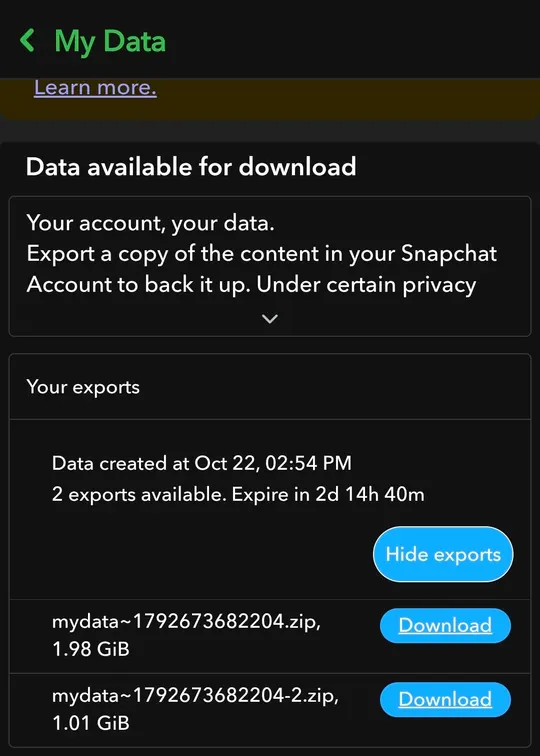
When it is ready, come back to My Data and download every part.
Download the zip files
The email links to your export. Big accounts arrive in parts, like mydata~1234.zip and mydata~1234-2.zip. Grab all of them; saving straight to your phone is fine.
Drop them here
Pick every part at once. They are uploaded to our server, which reads them and builds your recap. Big exports take a while, so keep the page open.
Questions people ask first
Is this made by Snapchat?
No. afterimage is an independent project, not affiliated with or endorsed by Snap Inc. It only reads the export Snapchat already gives you.
Do I log in with my Snapchat account?
Never. We don’t ask for your username or password, and you should be wary of any site that does.
Why is it free?
It costs very little to run. The heavy work, opening a huge zip and drawing the video, happens on your own phone.
How long until Snapchat sends my data?
Often about an hour. Accounts with lots of memories can take a day or two. The link in the email expires, so download the files soon after it arrives.
My export came as several zip files.
Select all of them at once. The files we need sit in the first part, and the rest are skipped without being read.
It says it can’t find my data.
Request your data again with “Export JSON files” switched on. An export with only HTML pages doesn’t contain the files we count.
Why are some of my old chats missing?
Snapchat only exports what it still keeps, mostly saved messages and recent history. Your recap covers what is in your export.
Can I keep the video?
Yes. Save it as an MP4, or share it straight to your story from your phone.